Authentication
Integrator APIs use a Bearer API key from the Company Portal. Full request shapes: API Reference.
API keys
Authorization: Bearer smm_test_<secret>
| Prefix | Ledger | Where to create |
|---|---|---|
smm_test_ | Test / sandbox | Company Portal → API keys → Test |
smm_live_ | Production | Company Portal → API keys → Live (gated by go-live readiness) |
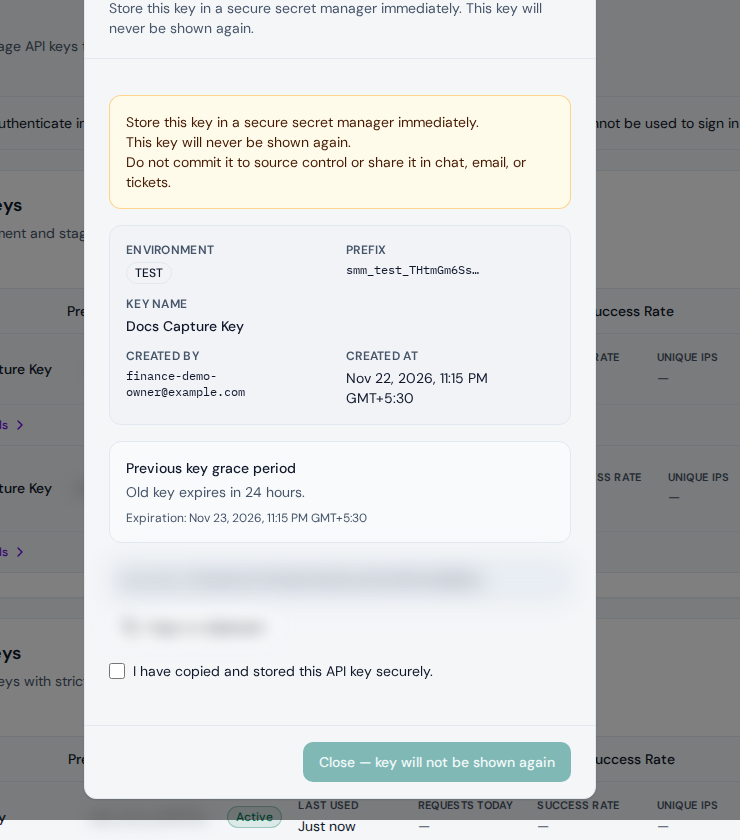
Keys are hashed at rest. The raw key is shown once at creation — store it in a secrets manager.
In the Company Portal, go to API keys.
The SDK checks that your key prefix matches environment: "test" | "live" — SDK Guide.
Test vs Live
| Aspect | Test | Live |
|---|---|---|
| API key prefix | smm_test_ | smm_live_ |
| Data isolation | Separate test ledger per company | Production ledger |
| Proof / receipt / timestamp | Limited — Sandbox | Full evidence pipeline |
| Automatic consent webhooks | Not enqueued — use Send Test Event | consent.recorded after grant/update/revoke |
| Webhook endpoint testing | Send Test Event / testEndpoint() | Same test path + automatic production delivery |
Never use a test key in production, or a live key in CI against test data.
Headers
| Header | When | Purpose |
|---|---|---|
Authorization | Secured routes | Bearer <api_key> |
Idempotency-Key | POST/PATCH writes | Safe retries; duplicate detection |
X-Request-Id | Optional | Client correlation; echoed in errors |
X-Trace-Id | Optional | Distributed tracing |
X-Sammati-Embed-Origin | Widget session create | Parent page origin for embed security |
Content-Type | Bodies | application/json |
The SDK attaches auth, idempotency (on writes), and request IDs automatically.
Idempotency
Write operations (consent grant, policy publish, webhook create, and similar) accept Idempotency-Key. Replaying the same key with the same body returns the original result instead of creating duplicates.
The SDK generates idempotency keys on write methods unless you pass options.idempotencyKey.
Trace IDs
Pass X-Trace-Id (or SDK options.traceId) to correlate logs with Sammati support. Error responses may include x-request-id — log it.
Security best practices
- Never commit keys — use environment variables or a secret manager.
- Rotate keys on schedule and after personnel changes (portal rotate flow).
- Verify webhooks with HMAC before processing — Webhooks.
- Restrict widget origins — register only your production domains under Allowed origins.
- Use test keys in development only; promote to live through the go-live flow.
- Always call production APIs over HTTPS.
Error responses
Authentication failures return 401 with a typed error body. The SDK maps these to AuthenticationError.
Next steps
- SDK Guide — client configuration and error handling
- Quick Start — obtain your first key