Widget Guide
Embed the hosted consent widget in your site. API details: API Reference (Widget).
Overview
The hosted widget is served at /widget/hosted and loaded in an iframe. Your backend creates a short-lived widget session; the user grants, updates, or revokes; your page listens for postMessage events.
Your backend → createWidgetSession → sessionId + token
Your frontend → iframe /widget/hosted?... → user action → submit
Your frontend ← postMessage (consent.submitted, widget.ready, …)
Sammati → (live) webhook consent.recorded → proof pipeline
On the test ledger, sessions and consent persist but automatic webhooks are not enqueued — verify with Send Test Event.
Hosted widget
- Publish a policy — Policies.
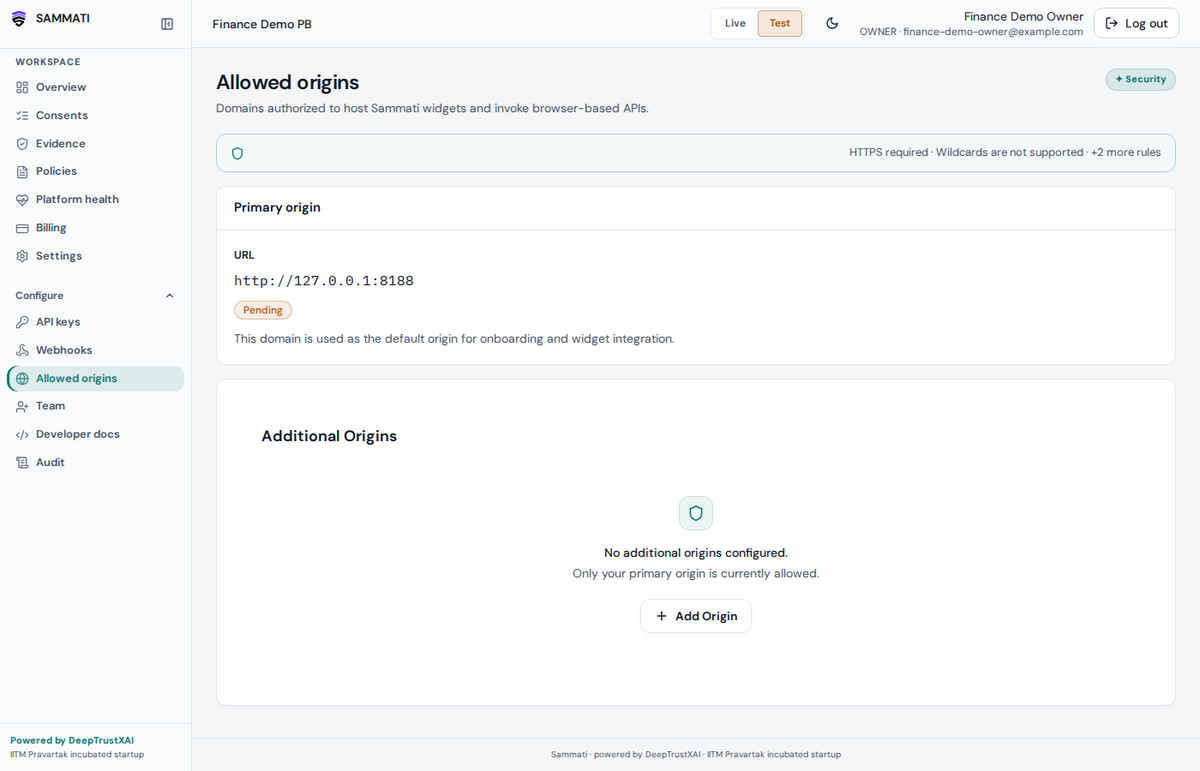
- Register allowed origins in the Company Portal under Allowed origins.
- Create a session with
client.widget.createSession(body). - Embed the iframe with the hosted URL and session parameters.
| Method | Purpose |
|---|---|
client.widget.createSession | Create session |
client.widget.getSession | Read session status |
client.widget.submitSession | Submit (server-side path) |
client.widget.getHostedHtml | Hosted HTML |
client.widget.bootstrapRuntime | Runtime config for advanced embeds |
Browser helper (@sammati/widget-sdk)
For browser apps, use @sammati/widget-sdk to create the iframe and handle typed postMessage events.
Customization
Policy artifacts control copy, purposes, and presentation. Edit them in Policies — the editor includes a widget preview.
Events
postMessage events on the parent page:
| Event | Meaning |
|---|---|
widget.ready | Iframe loaded and interactive |
consent.submitted | User completed an action |
Server webhooks (automatic on live): widget.session.created, widget.session.consumed, consent.recorded — Webhooks. On test keys, use Send Test Event.
Sandbox
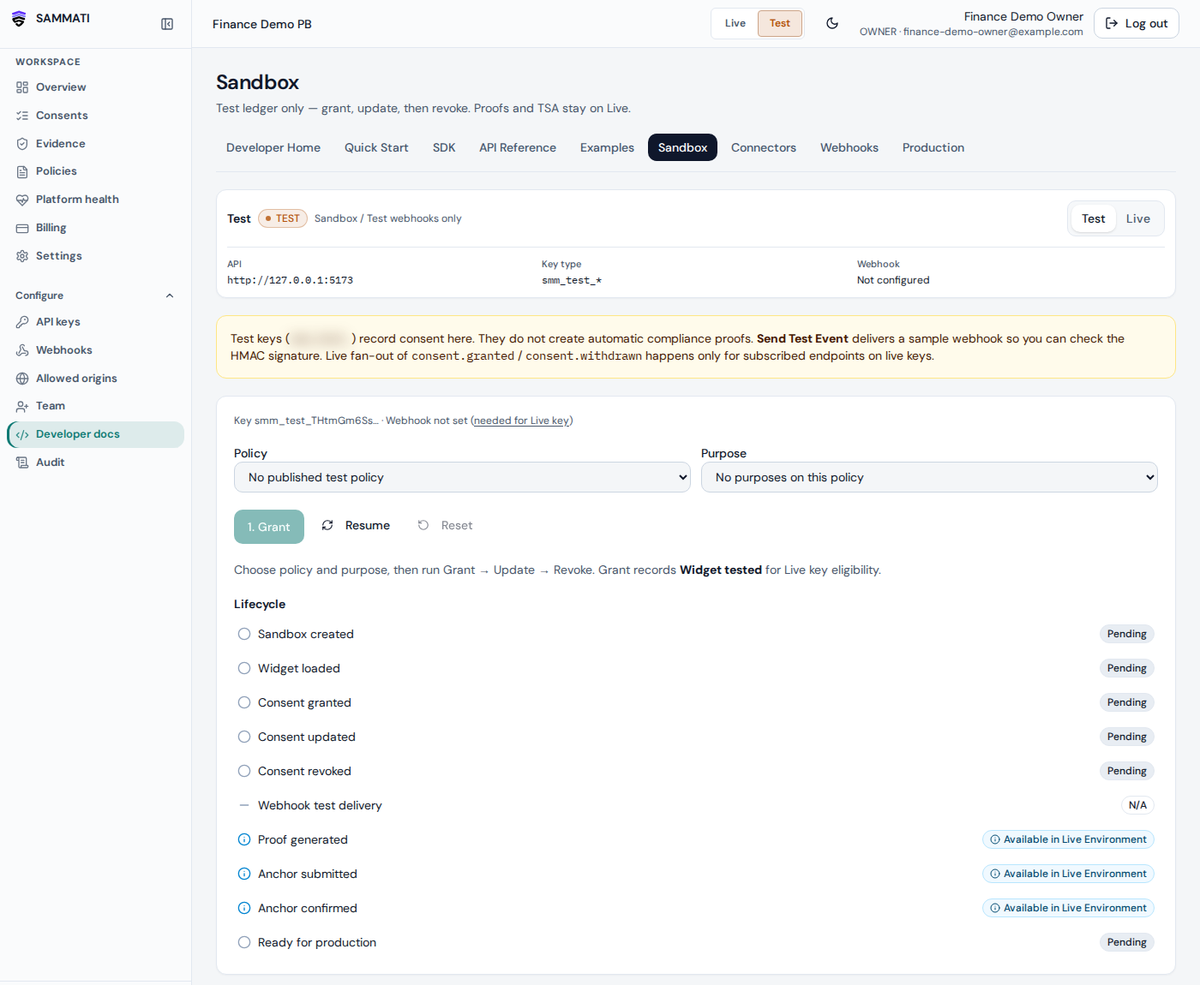
Test the full widget flow without deploying embed code:
- In the Company Portal, open Developer → Sandbox (or Integration Center → Widget Sandbox).
- Use your test API key and a published policy.
Testing
| Check | How |
|---|---|
| Origin allowed | Allowed origins in the portal; send X-Sammati-Embed-Origin on session create |
| Session not expired | getWidgetSession status |
| End-to-end | Portal sandbox or your staging site |
Next steps
- Policies — content shown in the widget
- Consent Integration — ledger after submit
- Troubleshooting