Quick Start
Record your first consent, receive a webhook, and understand the path to proofs — using the Company Portal and the official SDK.
Overview
| Step | Action | Time |
|---|---|---|
| 1 | Create account and company | ~1 min |
| 2 | Generate a test API key | ~1 min |
| 3 | Install the SDK | ~1 min |
| 4 | Create and publish a policy | ~1 min |
| 5 | Launch the widget (sandbox or embed) | ~1 min |
| 6 | Configure a webhook | async |
| 7 | Verify proof (live ledger) | when ready |
1. Create account
- Open the Company Portal and complete signup or invite acceptance.
- Complete company onboarding — company profile and first policy milestone.
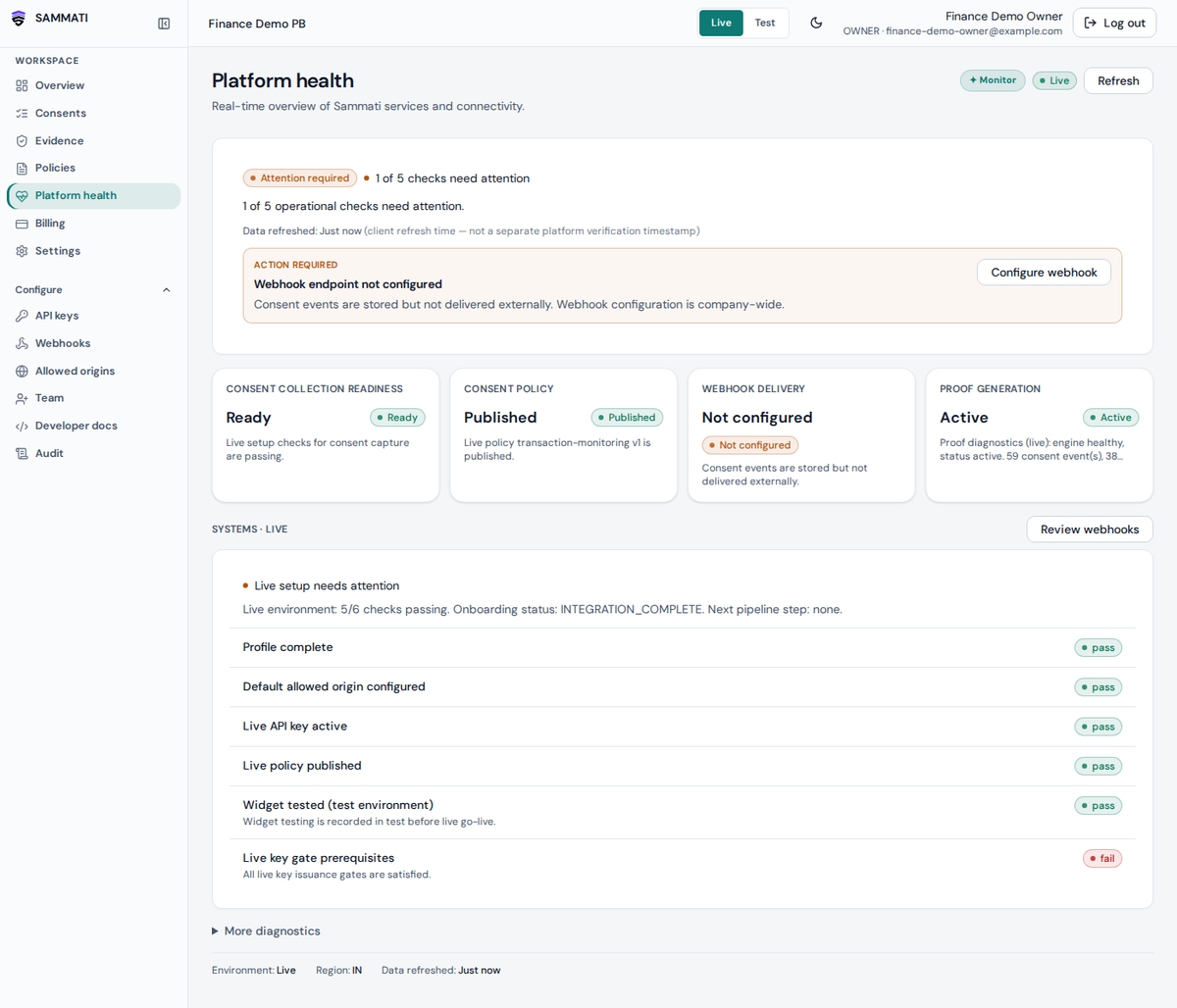
- Check Platform health for readiness, then open Integration Center for developer tools.
2. Generate API key
- In the Company Portal, go to API keys.
- Create a test key (
smm_test_…). Copy the raw key immediately — it is shown once. - Store it as
SAMMATI_API_KEYin your secrets manager or.env.
More detail: Authentication
3. Install SDK
npm install @sammati/server-sdk @sammati/widget-sdk @sammati/webhook-utils
Client setup and configuration: SDK Guide
4. Configure webhook
- Go to Webhooks → create an endpoint URL and select events (for example
consent.recorded). - Save the signing secret (
whsec_…) when it is revealed. - On the test ledger: click Send Test Event on the endpoint row (consent actions with
smm_test_*do not enqueue automatic webhooks). - On the live ledger: grant, update, or revoke with
smm_live_*automatically enqueueconsent.recordedfor subscribed endpoints.
Verification: Webhooks
5. Create policy
- Go to Policies → create a draft → publish version
1. - Note your
policy_ref(for examplesample-newsletter-subscription).
Details: Policies
6. Launch widget
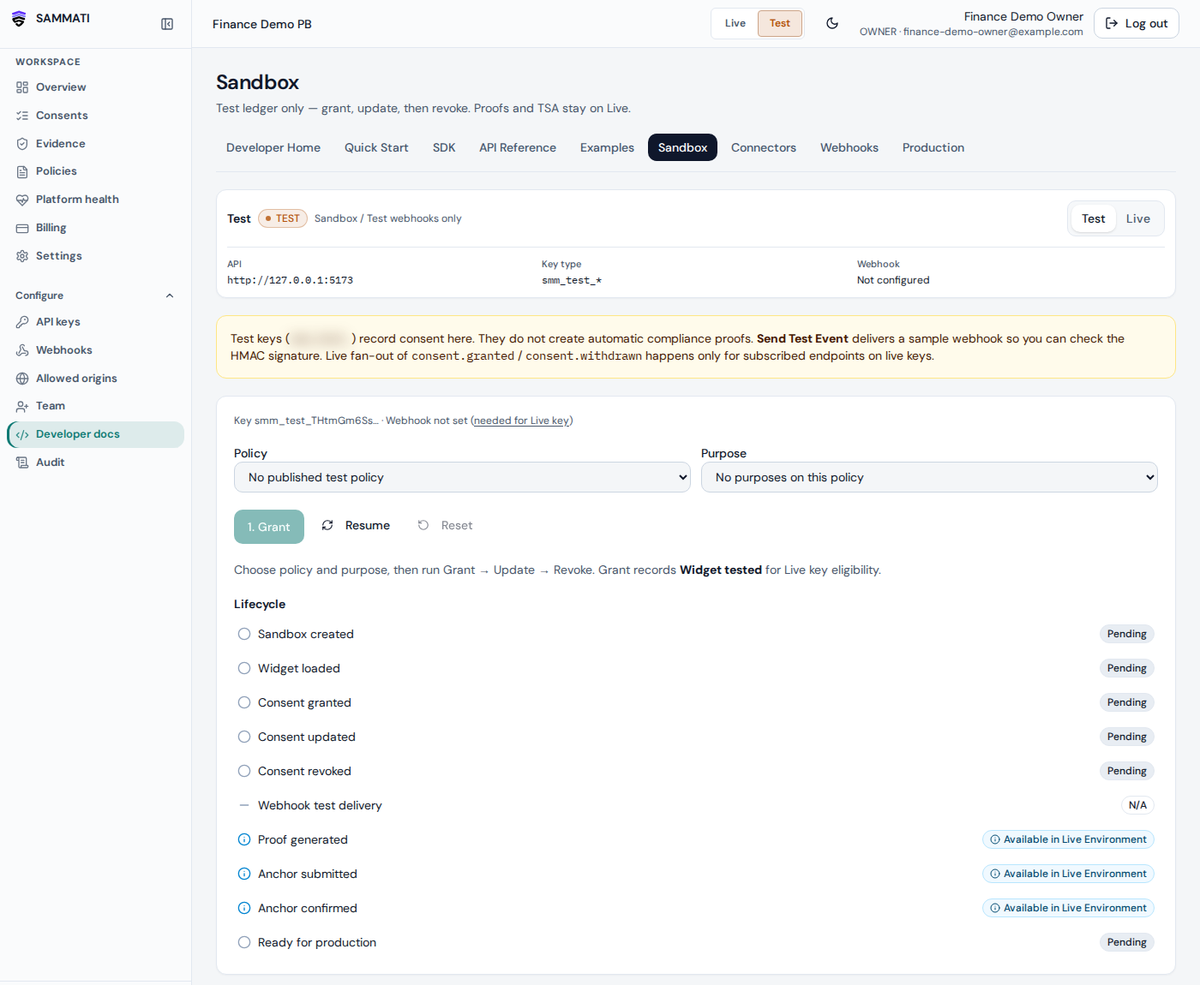
Option A — Portal sandbox (fastest): open Developer → Sandbox (or Integration Center → Widget Sandbox). No embed code required.
Option B — Embed in your site: register domains under Allowed origins, create a widget session with the SDK, embed the iframe.
7. Receive callback
| Ledger | How you get consent.recorded |
|---|---|
Test (smm_test_*) | Send Test Event or client.webhooks.testEndpoint() — not from consent/widget writes |
Live (smm_live_*) | Automatically after grant, update, or revoke (endpoint ACTIVE and subscribed) |
Verify signatures with SDK helpers — Webhooks.
8. Verify proof
| Ledger | Proof behavior |
|---|---|
Test (smm_test_*) | Consent and widget work; proofs and automatic webhooks are limited — Sandbox |
Live (smm_live_*) | Full pipeline: Merkle proof → Evidence Link JWT → TSA timestamp |
In the portal, open Platform health and use the live verification panels.
API reference
HTTP operations for this flow are in the API Reference under Policies, Widget, Consents, Webhooks, and Proofs.
Next steps
- Authentication — headers, idempotency, environments
- SDK Guide — client configuration and errors
- Production Checklist — before go-live